As the title suggests, these are notes on issuing an SSL certificate with ACM using a domain obtained from onamae.com.
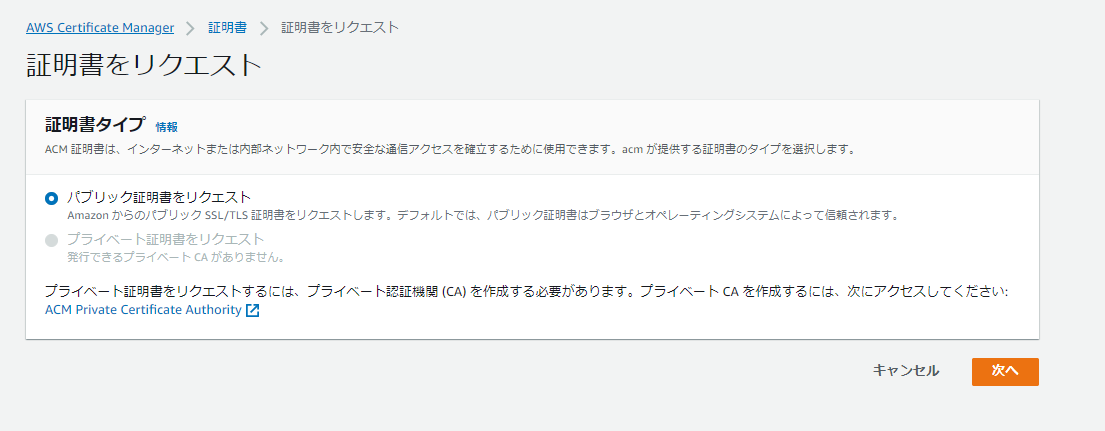
Request a Public Certificate from ACM
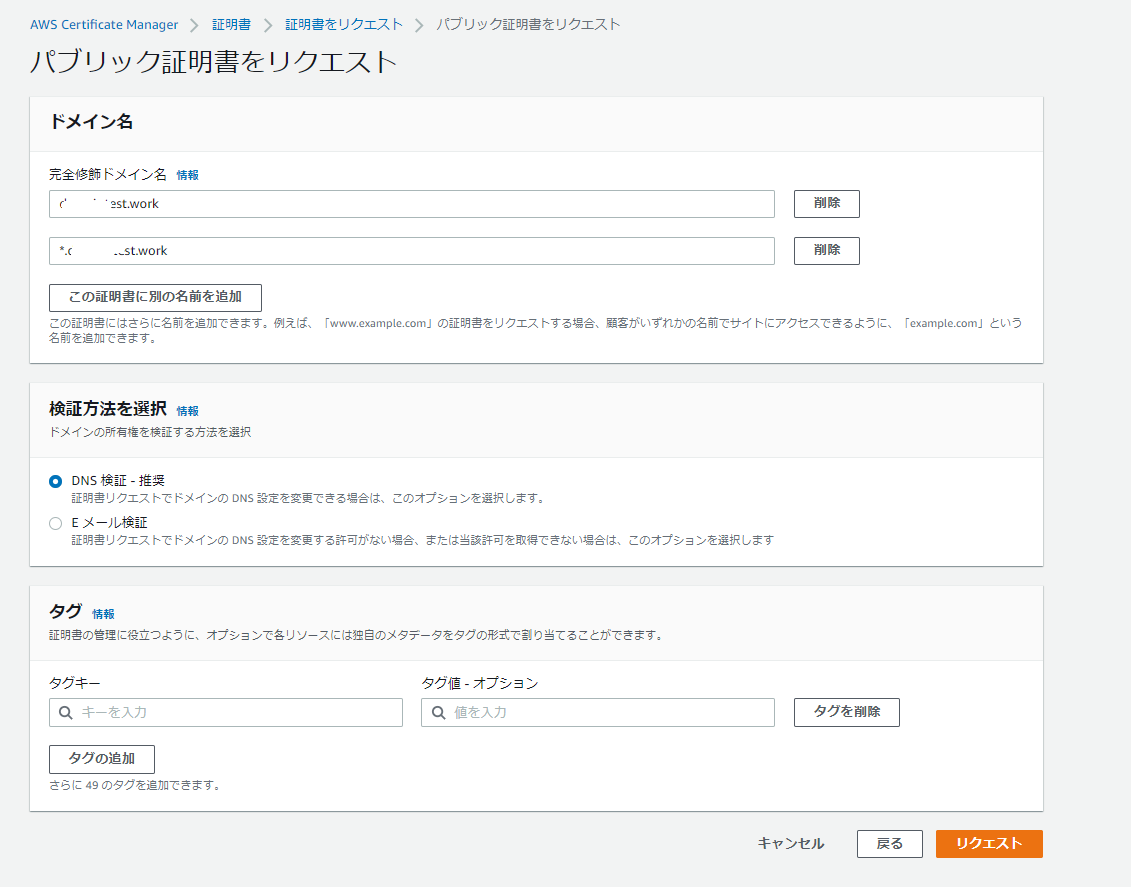
Enter the domain name and validation method
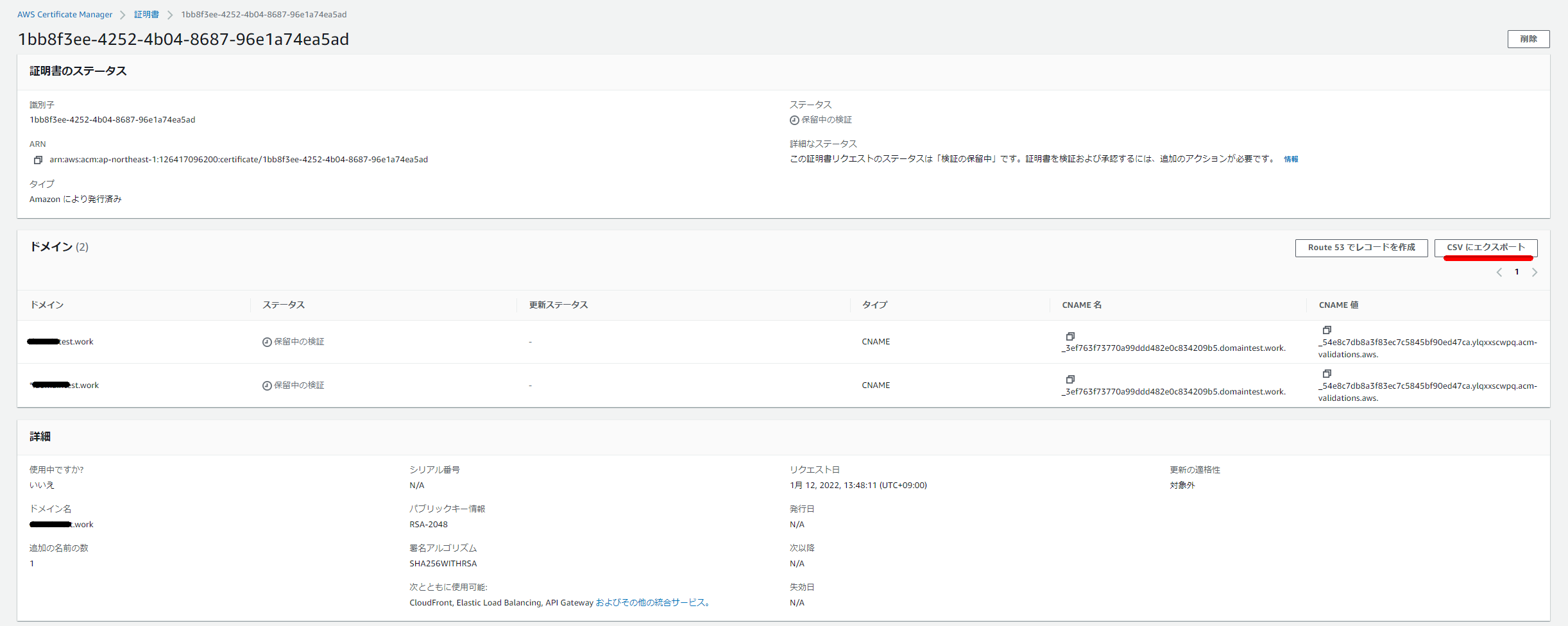
Certificate issuance in progress. Wait for a while.

Go to the certificate details screen, select “Export to CSV” and download it locally. You will need it for subsequent steps.
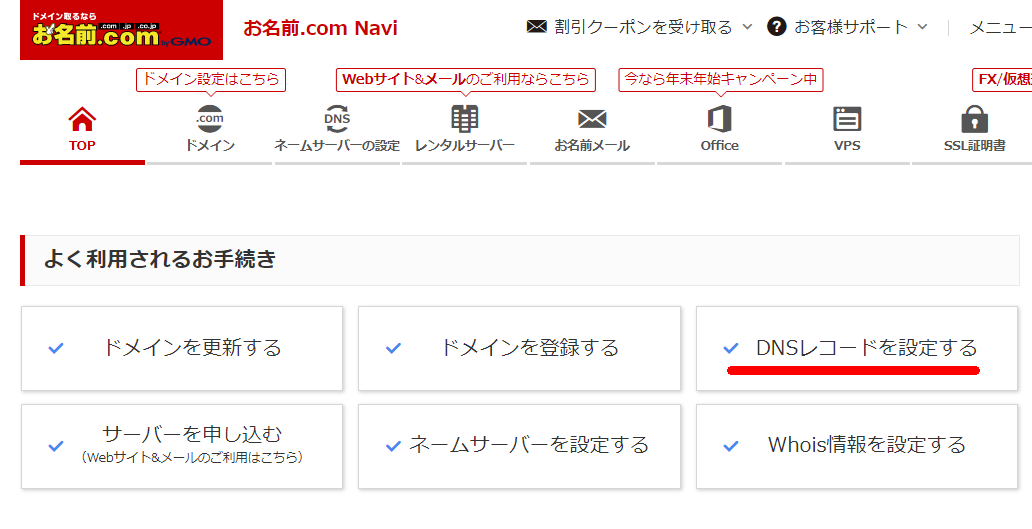
Go to onamae.com and navigate to “Set DNS Records”
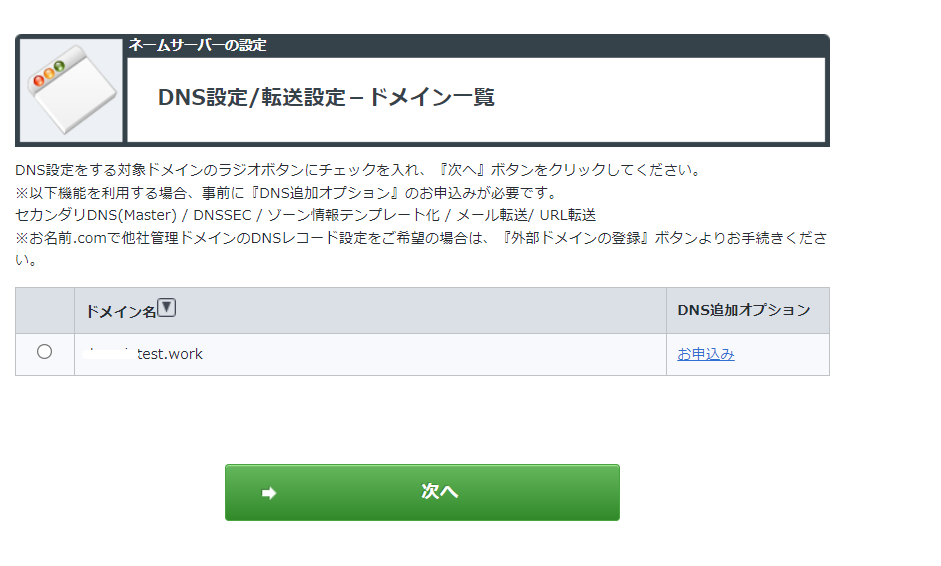
Select the target domain and proceed to the next step
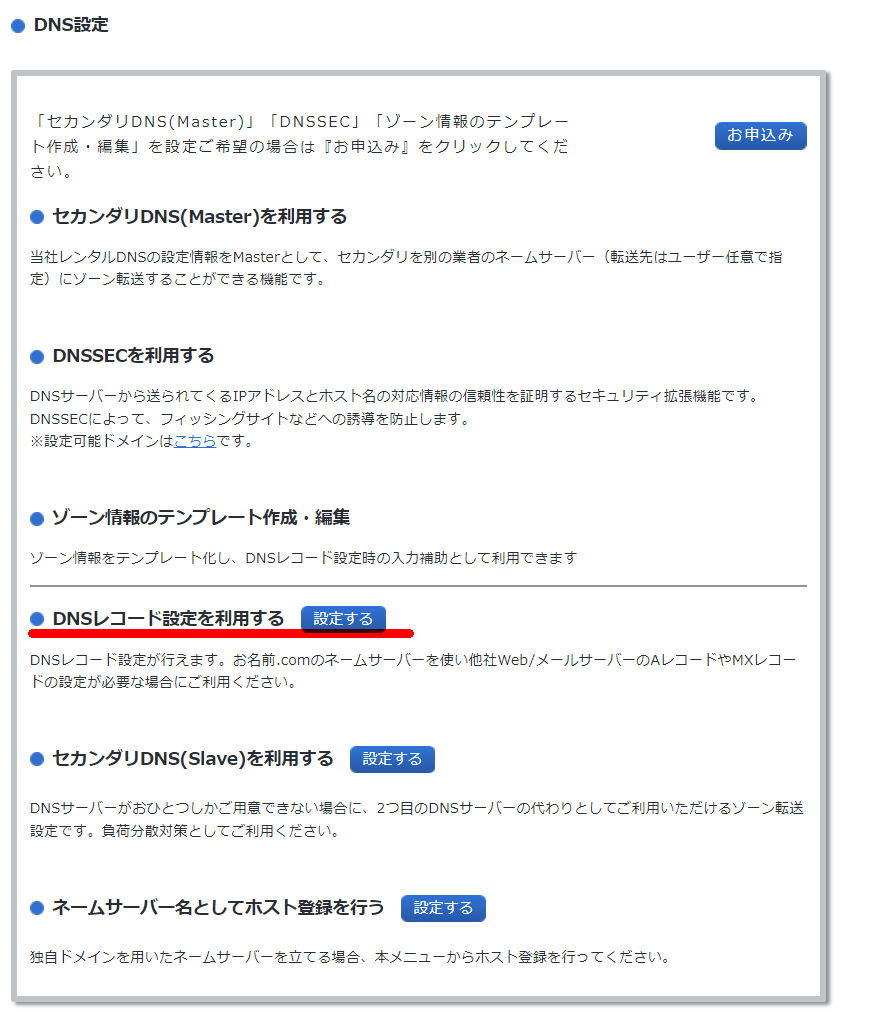
Use the DNS record settings
You should have downloaded a CSV like the one below from the ACM screen. Enter the following from it:
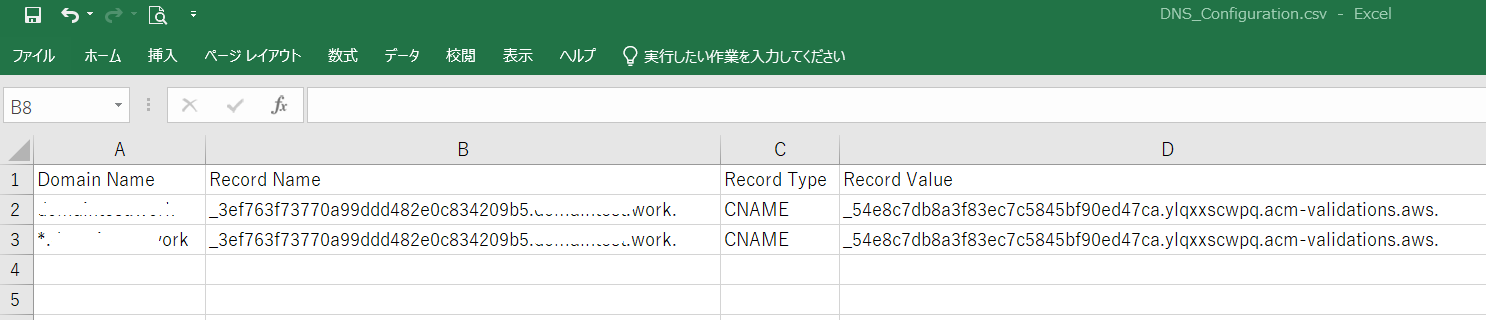
| Hostname | TYPE | VALUE |
|---|---|---|
| Domain Name | CNAME | Record Value |
Enter the values and add them
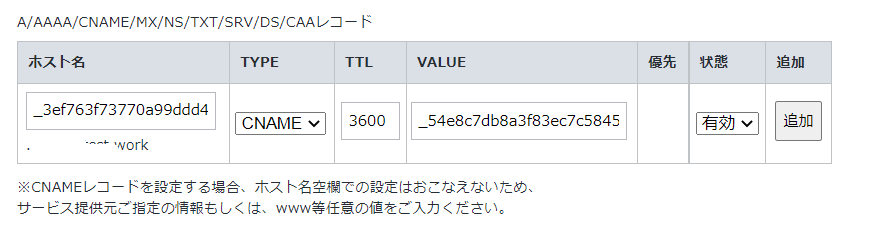
Leave the settings at the bottom of the page as default and check them
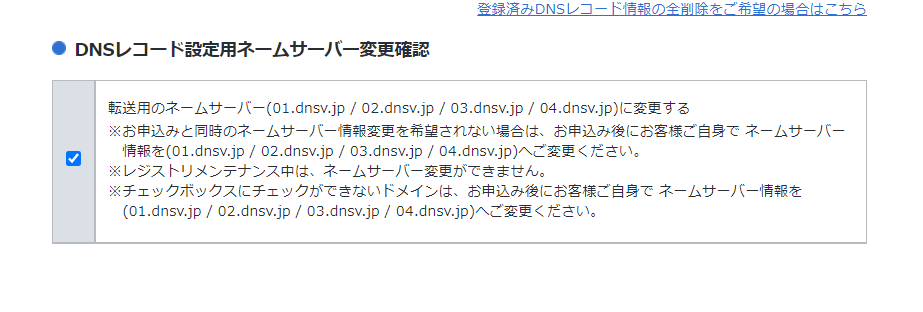
Click “Set”
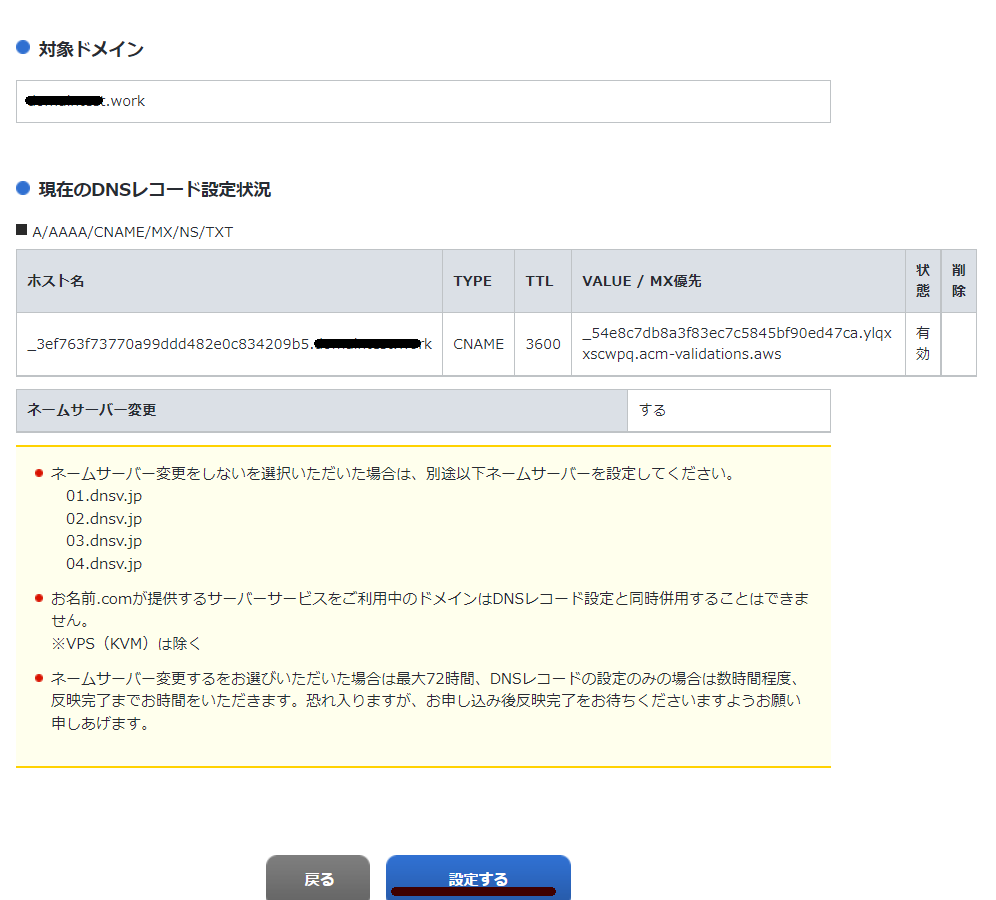
It is now complete.

It says DNS propagation can take a few hours to 24 hours, so be patient.
https://help.onamae.com/answer/8081
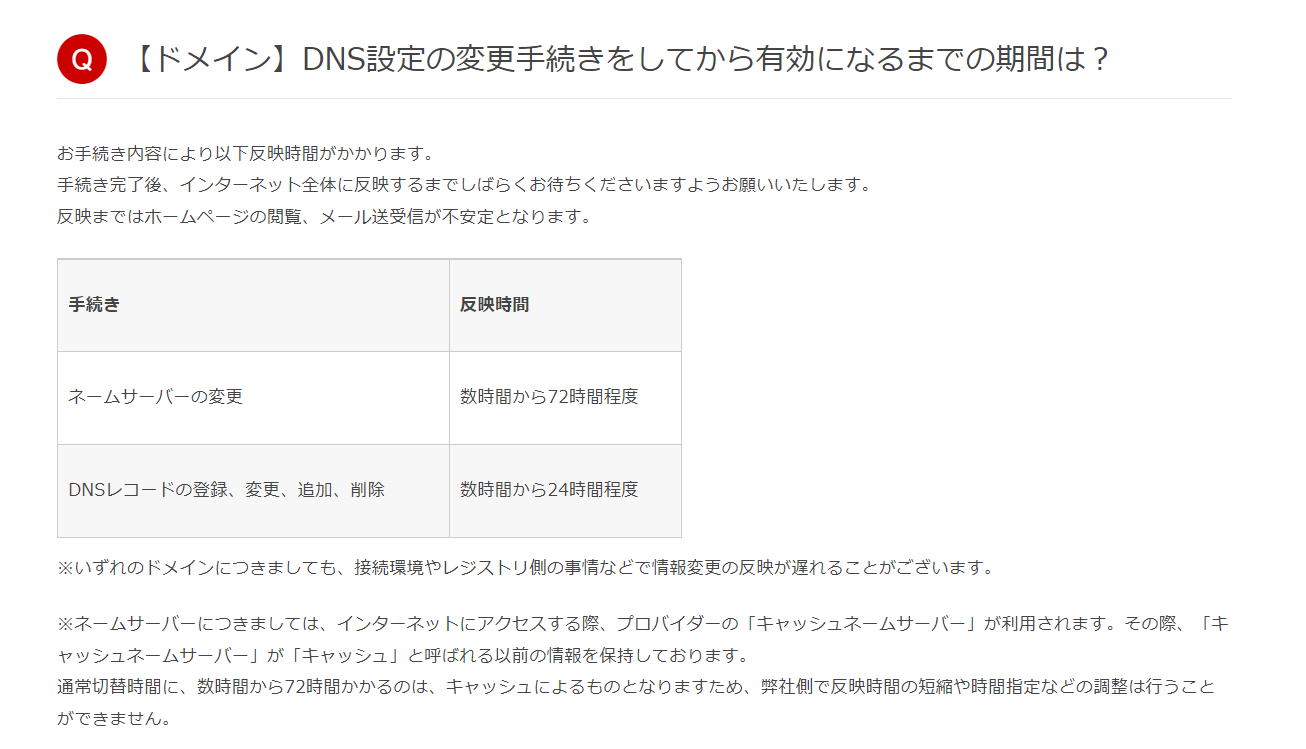
The status changed to “Issued” within a few dozen minutes.

References
Troubleshoot a pending ACM certificate https://aws.amazon.com/jp/premiumsupport/knowledge-center/acm-certificate-pending-validation/