What I Want to Do
When “EC2-Other” is high in AWS costs, I want to quickly check the breakdown using the AWS CLI.
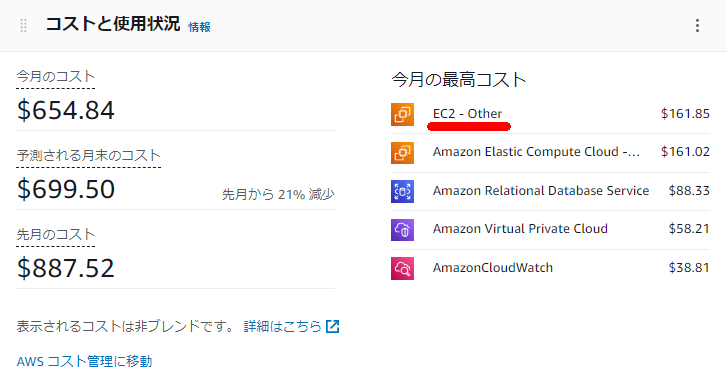
Via GUI?
For the specific breakdown of costs within “EC2-Other”, you can check by filtering in Cost Explorer using Service and selecting Usage Type as the group-by condition.
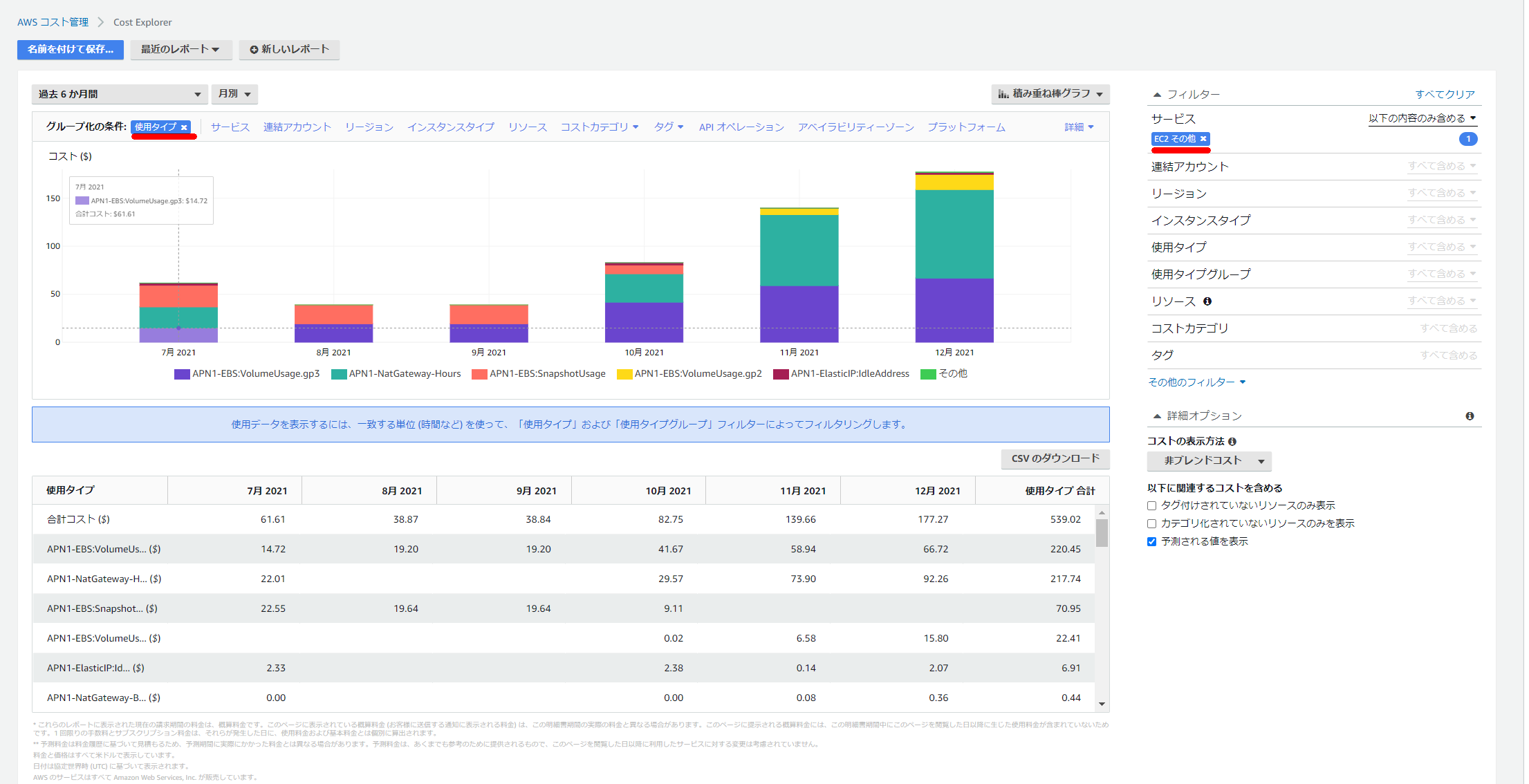
Achieving This with AWS CLI
To accomplish this via CLI, run the following command. Check the reference for details on each option.
Create a filter file. This time, set the Key and Values as follows:
cat << EOF > ce_filter.json
{
  "Dimensions": {
    "Key": "SERVICE",
    "Values": ["EC2 - Other"]
  }
}
EOF
Specify the file created above in --filter, set the usage type in --group-by, and then output in descending order of high-cost usage types. Since the double quotes were causing issues with sorting, awk is used to work around that.
aws ce get-cost-and-usage \
    --time-period Start=2022-01-01,End=2022-01-30 \
    --granularity MONTHLY  \
    --metrics UnblendedCost \
    --group-by Type=DIMENSION,Key=USAGE_TYPE \
    --filter file://ce_filter.json | jq -r '.ResultsByTime[].Groups[] | [(.Keys[]), .Metrics.UnblendedCost.Amount] | @csv' | awk -F\" '{print $2,$3,$4}'  | sort -r -k 2 | head -n 10
Execution Result
[ec2-user@bastin ~]$ aws ce get-cost-and-usage \
>     --time-period Start=2022-01-01,End=2022-01-30 \
>     --granularity MONTHLY  \
>     --metrics UnblendedCost \
>     --group-by Type=DIMENSION,Key=USAGE_TYPE \
>     --filter file://ce_filter.json | jq -r '.ResultsByTime[].Groups[] | [(.Keys[]), .Metrics.UnblendedCost.Amount] | @csv' | awk -F\" '{print $2,$3,$4}'  | sort -r -k 2 | head -n 10
APN1-NatGateway-Hours , 85.932
APN1-EBS:VolumeUsage.gp3 , 61.2496773819
APN1-EBS:VolumeUsage.gp2 , 14.5525795272
APN1-NatGateway-Bytes , 0.1139805019
APN1-USE1-AWS-Out-Bytes , 0.000031066
APN1-USW2-AWS-Out-Bytes , 0.0000110895
APN1-APS1-AWS-Out-Bytes , 0.0000010102
APN1-USW1-AWS-Out-Bytes , 0.0000002506
APN1-APS3-AWS-Out-Bytes , 0.0000001677
APN1-APN2-AWS-Out-Bytes , 0.0000001634
[ec2-user@bastin ~]$