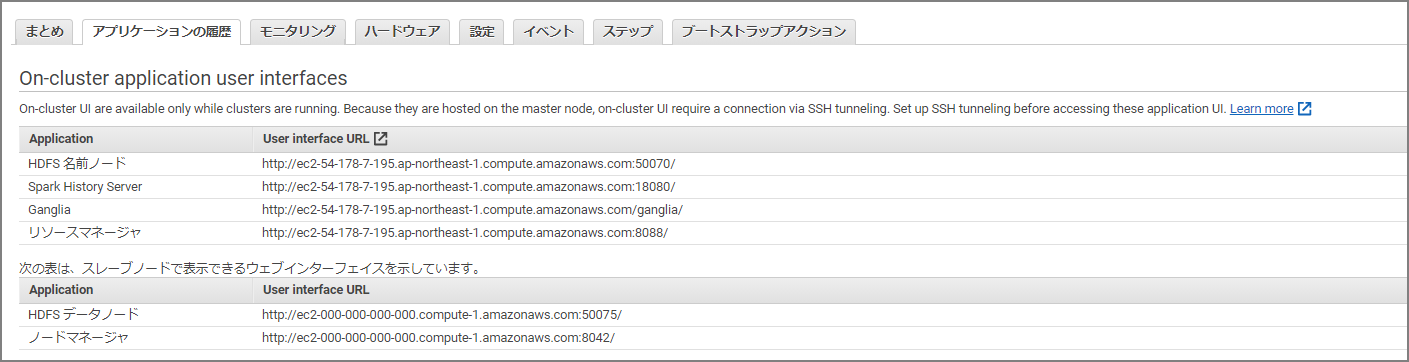
The Spark Web UI and others can be viewed by clicking in the management console, but other web-based GUI tools need to be viewed via SSH tunneling. The following two steps are required:
- Configure forwarding on the SSH client side
- Configure proxy settings on the browser side
It’s easy once you’ve done it, but since it’s easy to forget when doing it again later, here are the notes.
-
Configure Forwarding on the SSH Client Side
Reference manual
Option 2, Part 1: Set up an SSH Tunnel to the Master Node Using Dynamic Port Forwarding - Amazon EMR https://docs.aws.amazon.com/ja_jp/emr/latest/ManagementGuide/emr-ssh-tunnel.html
-
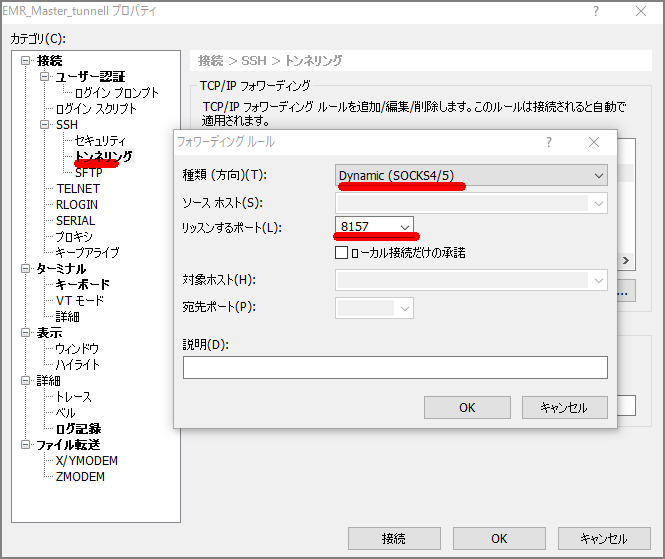
For Xshell6:
- In the tunneling configuration’s forwarding rules, select Dynamic and set the listen port to 8157. (Any unused port will do, but it must match the subsequent proxy configuration.)
-
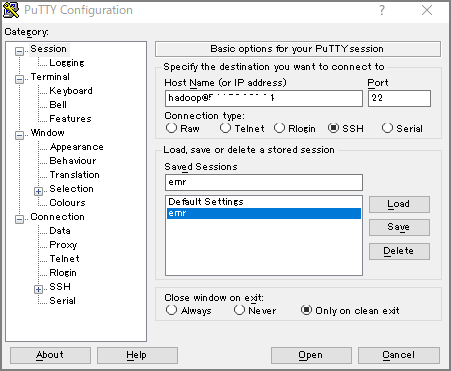
For Putty:
Configure dynamic port forwarding under Connection-SSH-Tunnels
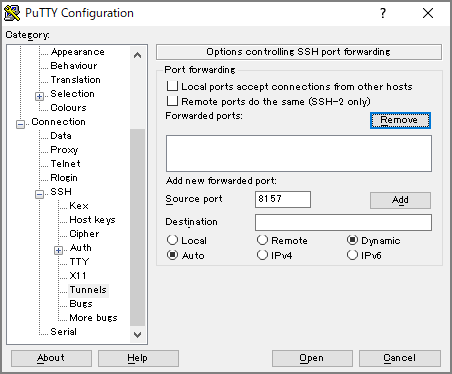
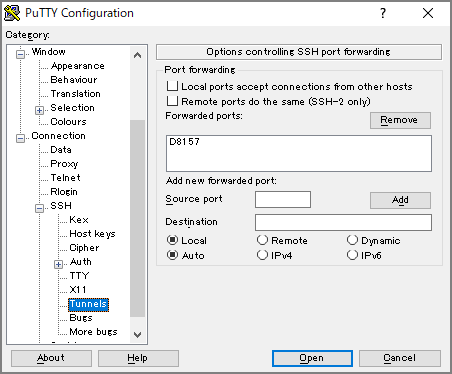
Connect to the master node as normal in Session
-
Configure Browser Proxy Settings
Reference manual
Option 2, Part 2: Configure a Proxy to View Websites Hosted on the Master Node - Amazon EMR https://docs.aws.amazon.com/ja_jp/emr/latest/ManagementGuide/emr-connect-master-node-proxy.html
- Install Proxy Switchy Omega
https://chrome.google.com/webstore/detail/proxy-switchyomega/padekgcemlokbadohgkifijomclgjgif
-
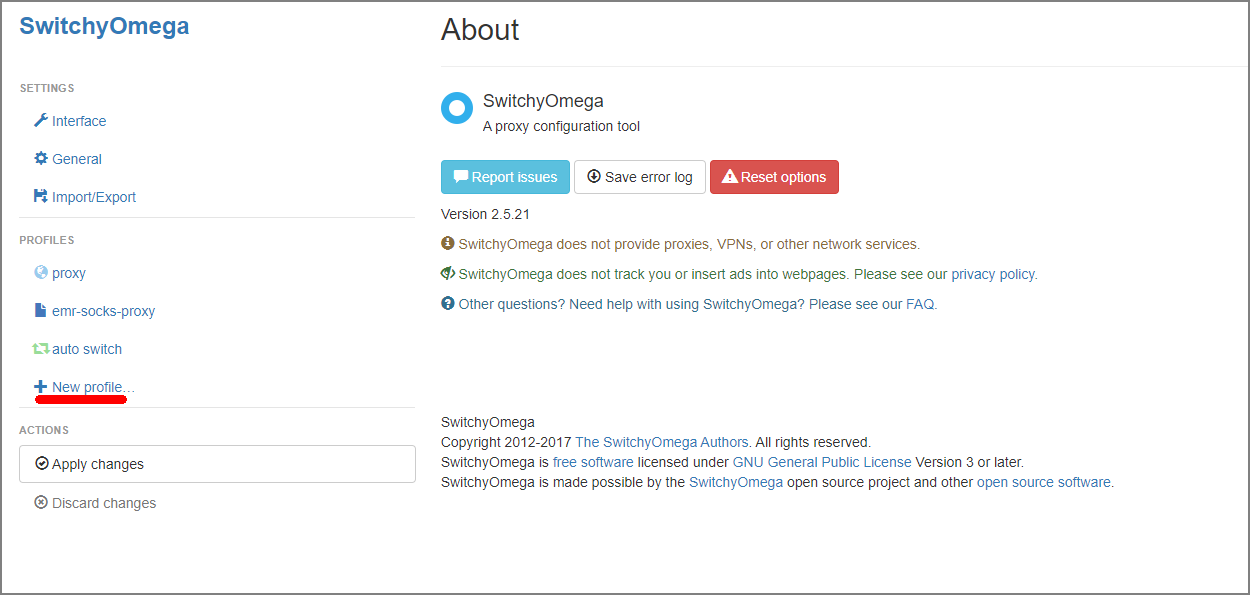
Open Proxy Switchy Omega options and select New Profile
-
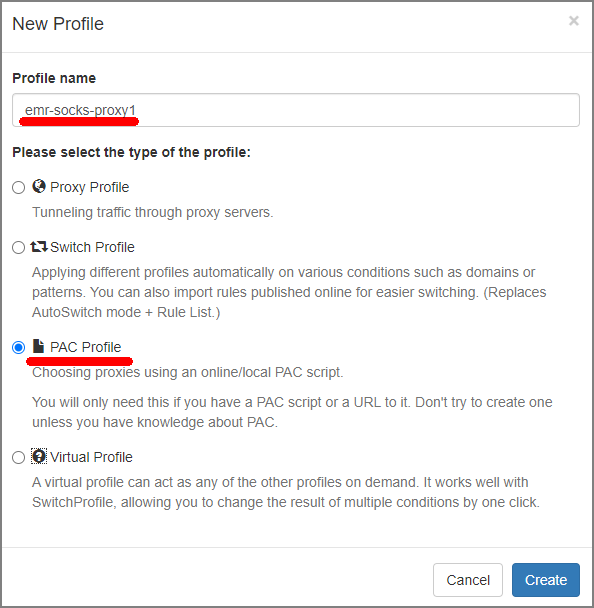
Select Profile Name and PAC Profile
-
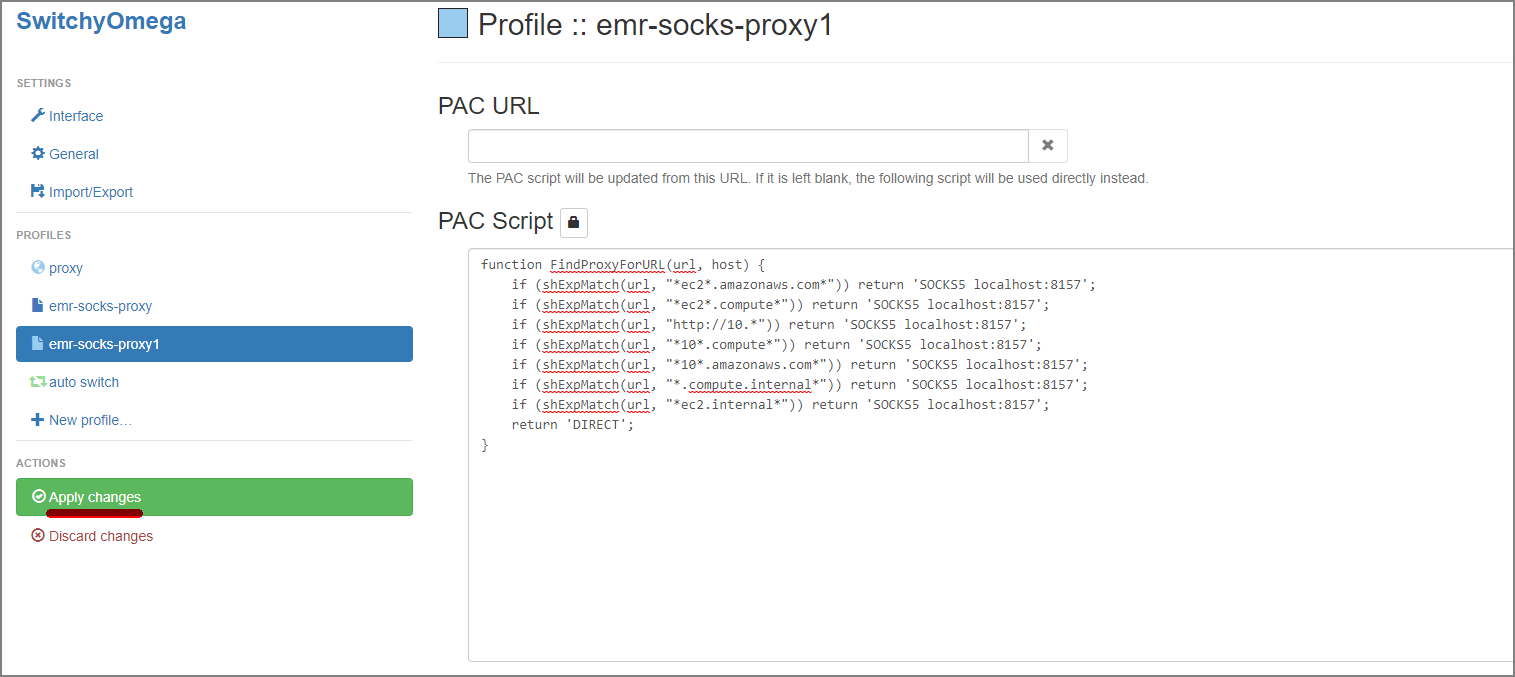
Paste the following into the PAC Script input field and then select Apply Changes
function FindProxyForURL(url, host) {
    if (shExpMatch(url, "*ec2*.amazonaws.com*")) return 'SOCKS5 localhost:8157';
    if (shExpMatch(url, "*ec2*.compute*")) return 'SOCKS5 localhost:8157';
    if (shExpMatch(url, "http://10.*")) return 'SOCKS5 localhost:8157';
    if (shExpMatch(url, "*10*.compute*")) return 'SOCKS5 localhost:8157';
    if (shExpMatch(url, "*10*.amazonaws.com*")) return 'SOCKS5 localhost:8157';
    if (shExpMatch(url, "*.compute.internal*")) return 'SOCKS5 localhost:8157';
    if (shExpMatch(url, "*ec2.internal*")) return 'SOCKS5 localhost:8157';
    return 'DIRECT';
}
After completing the above steps, you can access each Web UI by navigating to the following URLs.