Create an IAM User
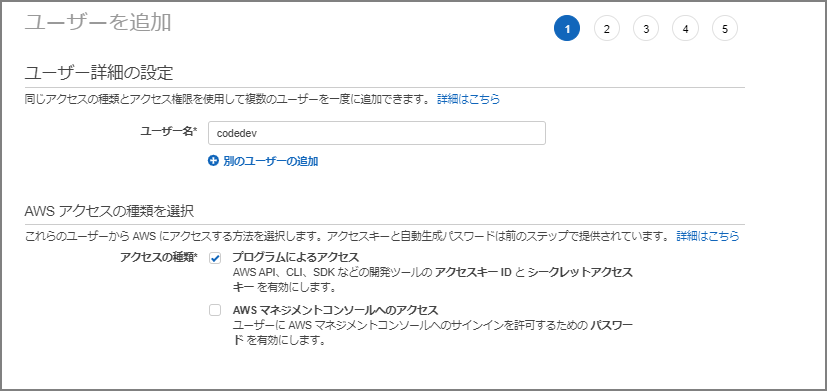
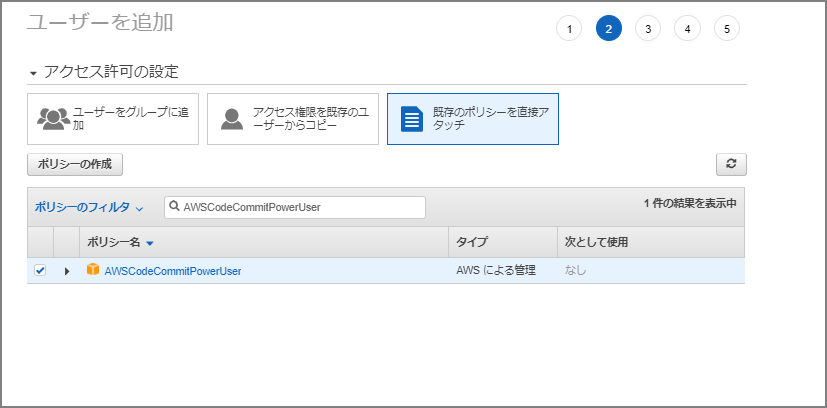
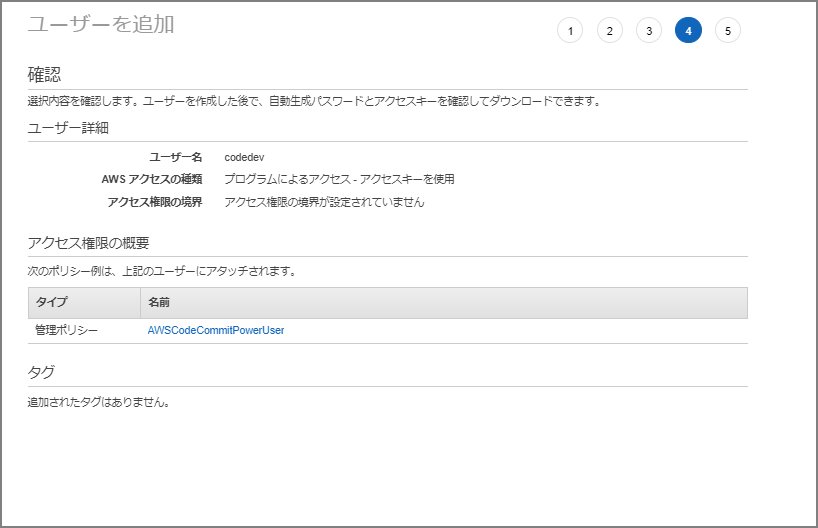
Create an IAM user and attach the following managed policy:
- AWSCodeCommitPowerUser
Using identity-based policies (IAM policies) with CodeCommit - AWS CodeCommit https://docs.aws.amazon.com/ja_jp/codecommit/latest/userguide/auth-and-access-control-iam-identity-based-access-control.html#managed-policies-poweruser

Install Git
Already installed, so skipping.
C:\Users\imazaj>git --version
git version 2.30.0.windows.2
Download from here if needed:
Git - Downloads http://git-scm.com/downloads
Configure Public and Private Keys for Git and CodeCommit
Launch Git Bash from Git for Windows and create key files with the ssh-keygen command.
$ ssh-keygen
Generating public/private rsa key pair.
~omitted~
C:\Users\imazaj>dir C:\Users\imazaj\.ssh

2019/12/17  15:47    <DIR>          .
2019/12/17  15:47    <DIR>          ..
2021/01/15  20:39             2,610 id_rsa
2021/01/15  20:39               575 id_rsa.pub
2019/12/17  15:47               799 known_hosts
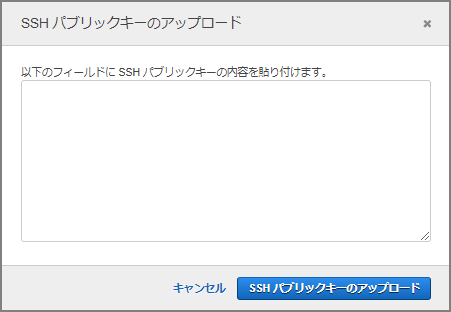
Navigate to the “Security credentials” tab of the IAM user and upload the public key file to SSH public keys for AWS CodeCommit.
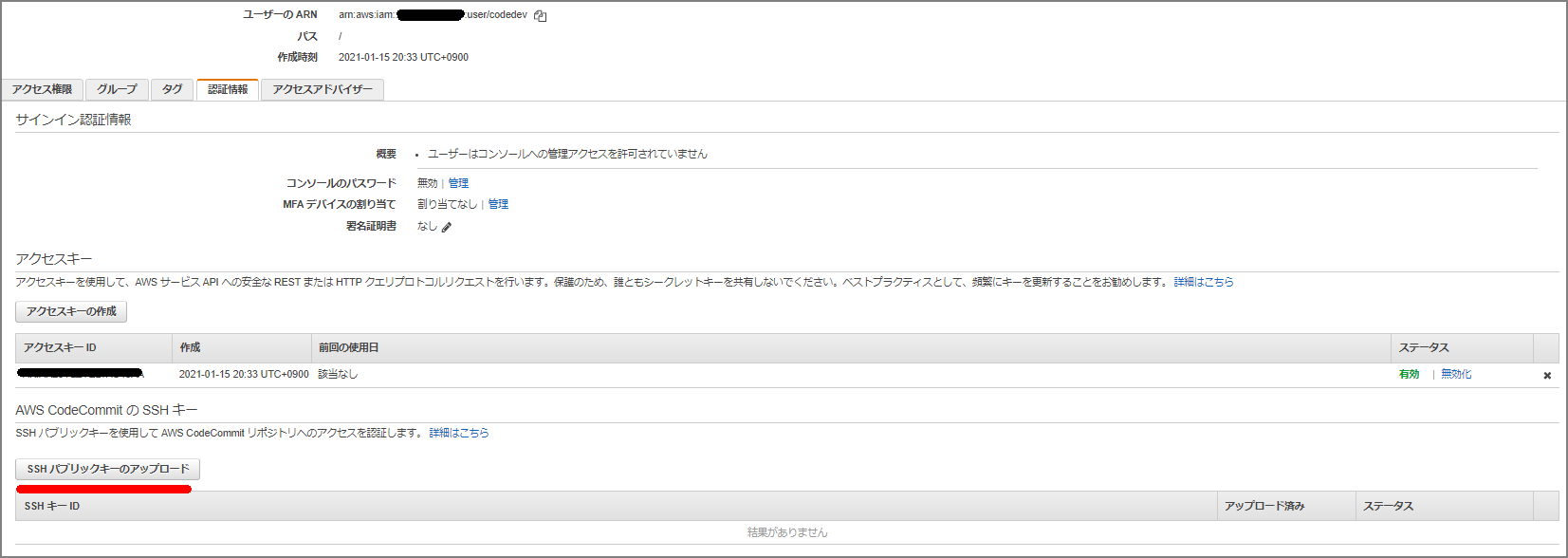
Paste the public key content and upload.
Note the SSH public key ID.

Create ~/.ssh/config and enter the following. Set User to the SSH public key ID and IdentityFile to the private key.
Host git-codecommit.*.amazonaws.com
  User xxxxxxxxxxxxxxxxxxx
  IdentityFile ~/.ssh/id_rsa
Verify the SSH configuration:
ssh git-codecommit.us-east-2.amazonaws.com
Clone a Repository
A README.md has been created in a repository called toolrepo.
C:\Users\imazaj>git clone ssh://git-codecommit.ap-northeast-1.amazonaws.com/v1/repos/toolrepo
Cloning into 'toolrepo'...
Warning: Permanently added the RSA host key for IP address 'xxxxxxxxxxxx' to the list of known hosts.
remote: Counting objects: 3, done.
Receiving objects: 100% (3/3), 215 bytes | 23.00 KiB/s, done.
C:\Users\imazaj\toolrepo>dir
 Volume in drive C is OSDisk
 Volume Serial Number is E49E-5113

 Directory of C:\Users\imazaj\toolrepo

2021/01/15  20:56    <DIR>          .
2021/01/15  20:56    <DIR>          ..
2021/01/15  20:56                 0 README.md
               1 File(s)                   0 bytes
               2 Dir(s)   3,597,164,544 bytes free
Edit README.md and commit:
C:\Users\imazaj\toolrepo>git status
On branch master
Your branch is up to date with 'origin/master'.

Changes not staged for commit:
  (use "git add <file>..." to update what will be committed)
  (use "git restore <file>..." to discard changes in working directory)
        modified:   README.md

no changes added to commit (use "git add" and/or "git commit -a")

C:\Users\imazaj\toolrepo>git add README.md

C:\Users\imazaj\toolrepo>git commit -m "first commit"
[master 2ab1525] first commit
 1 file changed, 1 insertion(+)

C:\Users\imazaj\toolrepo>git push
Enumerating objects: 5, done.
Counting objects: 100% (5/5), done.
Writing objects: 100% (3/3), 252 bytes | 252.00 KiB/s, done.
Total 3 (delta 0), reused 0 (delta 0), pack-reused 0
To ssh://git-codecommit.ap-northeast-1.amazonaws.com/v1/repos/toolrepo
   357bc6c..2ab1525  master -> master
References
Setting up SSH connections to AWS CodeCommit repositories on Windows - AWS CodeCommit https://docs.aws.amazon.com/ja_jp/codecommit/latest/userguide/setting-up-ssh-windows.html