Introduction
Study notes for “AWS Certified DevOps Engineer - Professional”
Rough Notes
AWS Systems Manager
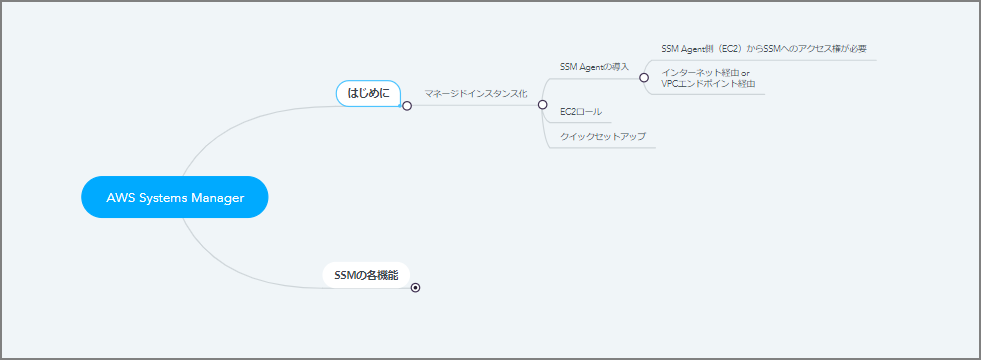
- Getting Started
- Making Managed Instances
- Install SSM Agent
- SSM Agent (EC2) needs access rights to SSM
- Via internet or VPC endpoint
- Install SSM Agent
- Making Managed Instances
- EC2 Role - Quick Setup
-
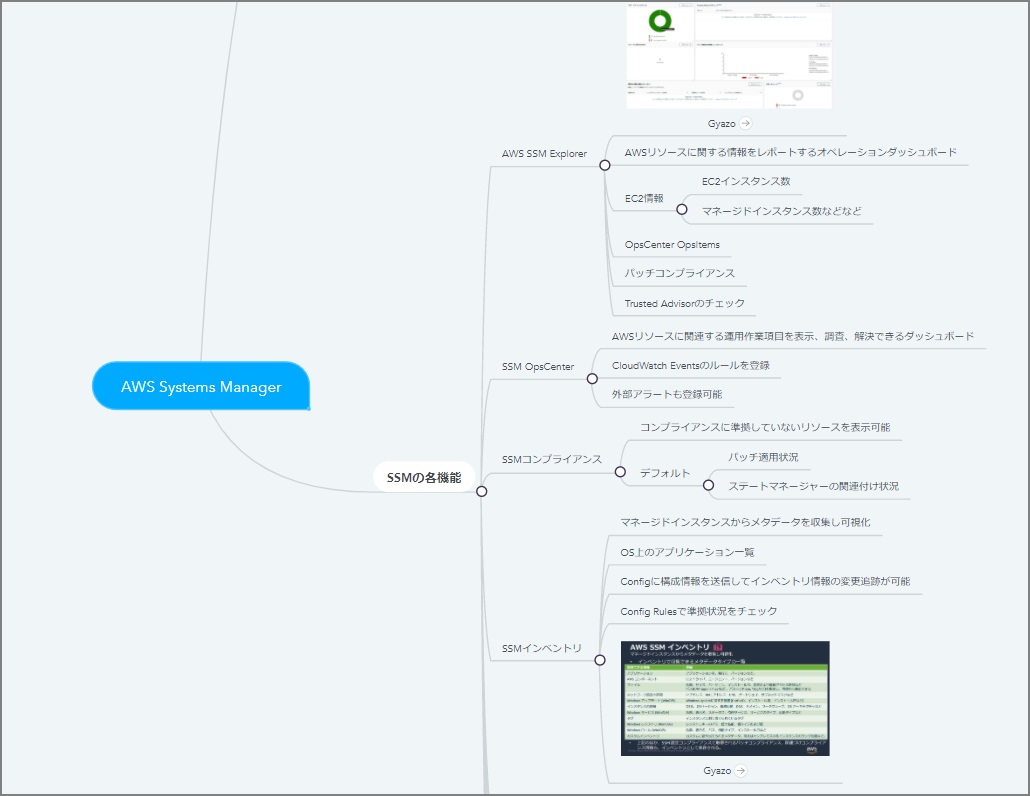
SSM Features
- AWS SSM Explorer
- Operations dashboard that reports information about AWS resources
- EC2 information
- Number of EC2 instances
- Number of managed instances, etc.
- OpsCenter OpsItems
- Patch compliance
- Trusted Advisor checks
- SSM OpsCenter
- Dashboard to view, investigate, and resolve operational work items related to AWS resources
- Register CloudWatch Events rules
- External alerts can also be registered
- SSM Compliance
- Displays resources that are not in compliance
- Default
- Patch application status
- State Manager association status
- SSM Inventory
- Collect and visualize metadata from managed instances
- List of applications on the OS
- Can send configuration information to Config to track changes in inventory information
- Check compliance status with Config Rules
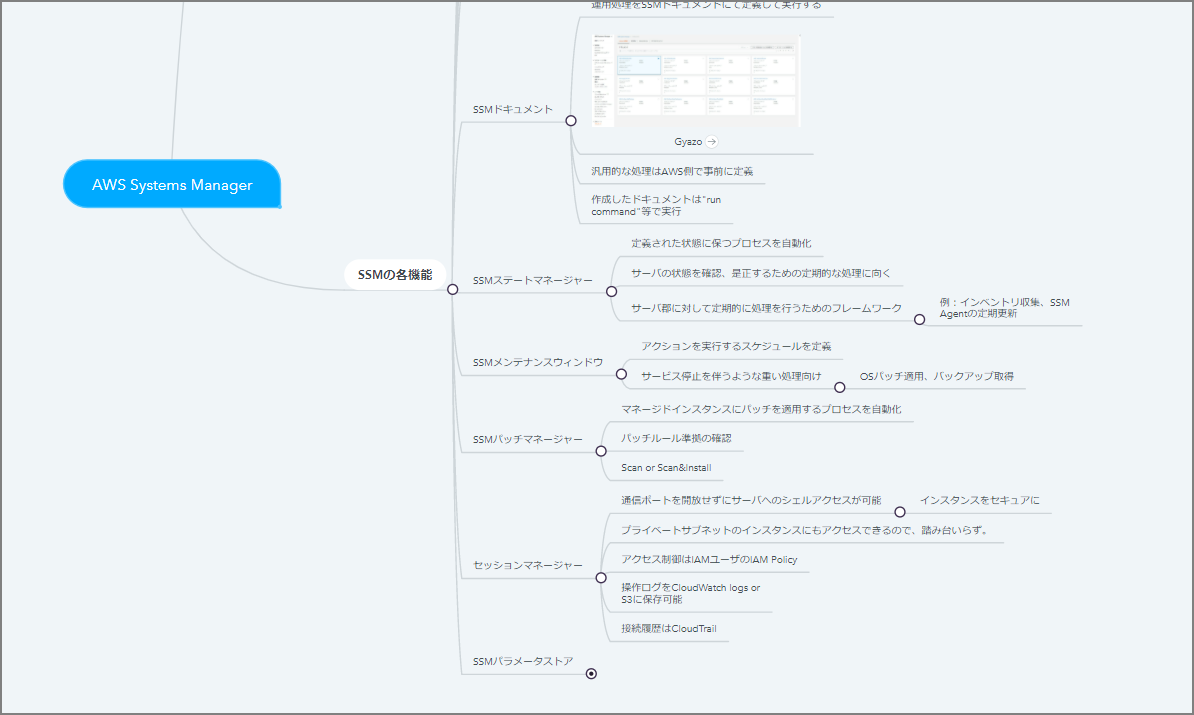
- SSM Documents
- Define and execute operational procedures in SSM documents
- Common procedures are pre-defined by AWS
- Created documents are executed with “run command”, etc.
- SSM State Manager
- Automate the process of maintaining defined states
- Suited for periodic processing to check and correct server states
- Framework for performing periodic processing on groups of servers
- Examples: inventory collection, periodic SSM Agent updates
- SSM Maintenance Window
- Define schedules for executing actions
- For heavy processing that involves service downtime
- OS patch application, backup acquisition
- SSM Patch Manager
- Automate the process of applying patches to managed instances
- Check patch rule compliance
- Scan
- Scan & Install
- Session Manager
- Allows shell access to servers without opening communication ports
- Secure access to instances
- Can access instances in private subnets without a bastion host
- Access control via IAM Policy for IAM users
- Operation logs can be saved to CloudWatch Logs or S3
- Connection history in CloudTrail
- SSM Parameter Store
- Storage for managing configuration and settings information
- Encrypt sensitive information like passwords with KMS
- AWS SSM Explorer