I added GitHub contributions to the top page of the blog. Since I run this blog on GitHub Pages, every time I write a post, the “grass” grows. The motivation was both the visual appeal and a desire to track my activity.
The tool I used:
GitHub の草状況を PNG 画像で返す heroku app をつくってみた - えいのうにっき https://blog.a-know.me/entry/2016/01/09/222210
1.) Visit the Site
Go to the following URL:
Grass-Graph / Imaging your GitHub Contributions Graph https://grass-graph.appspot.com/
2.) Enter Your GitHub ID

3.) A Meta Tag Is Generated — Take Note of It
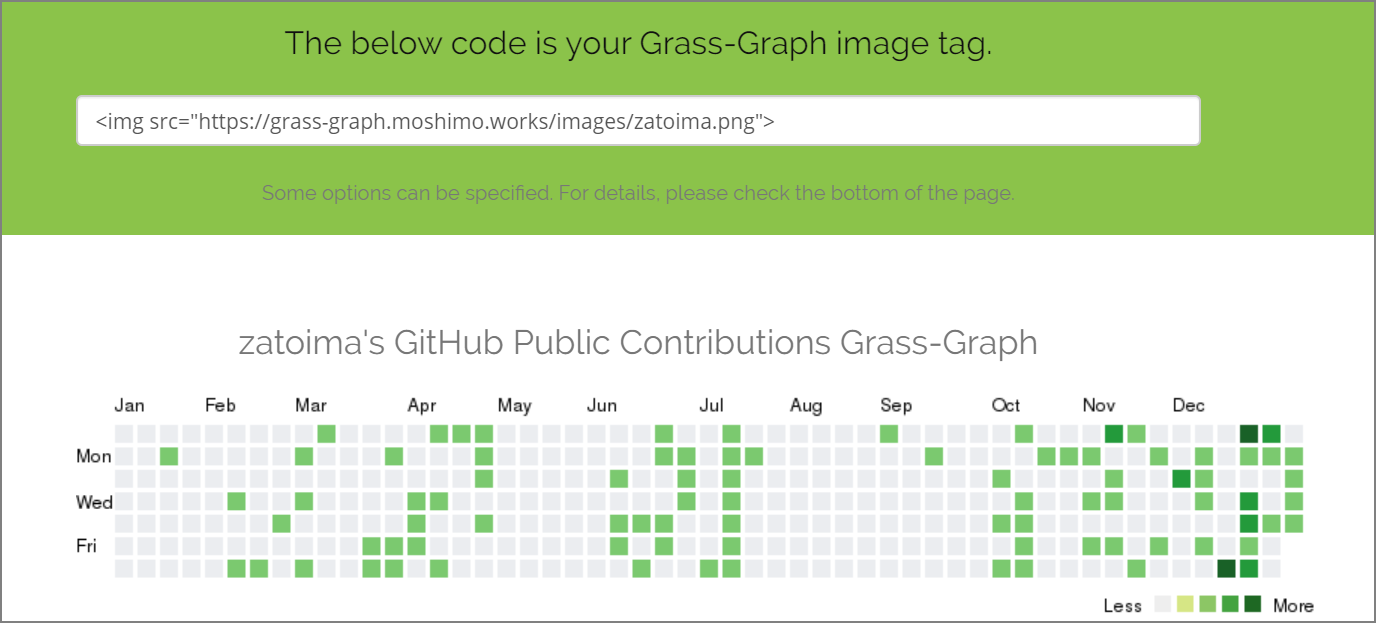
4.) Add a Tag So That Clicking the Image Links to Your GitHub Profile
<a href="https://github.com/zatoima" target="_blank">
  <img src="https://grass-graph.appspot.com/images/zatoima.png">
</a>
5.) Paste This Tag into the Designated Area of Your Blog Service
I added it to the top page of the blog.