Introduction
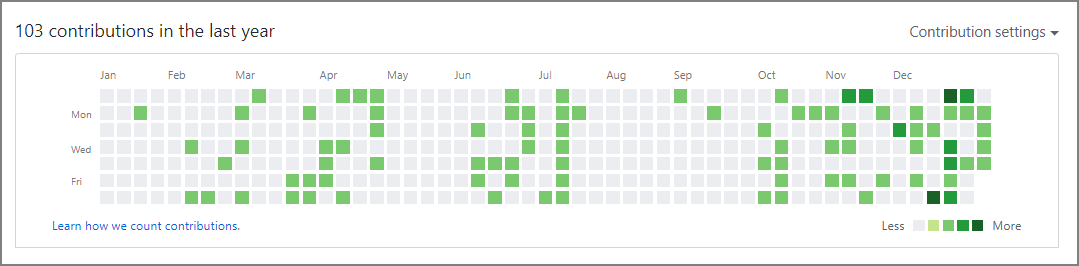
This blog is hosted on GitHub Pages, and one of my goals for this year is to “regularly update the blog and produce output,” so I wanted to visualize that. GitHub has a contribution graph — commonly called “grass” — so I decided to use it for visualization.
On the other hand, I had written many articles before I started using GitHub Pages, so I wanted to reflect those update dates in the Contributions graph. I looked into how to grow GitHub “grass” using past dates.
Method
The conditions for contributions to appear are as follows. Commits, issues, and pull requests all count. No actual source code changes are required — just these actions alone can forge create Contributions.
What counts as a contribution
On your profile page, certain actions count as contributions:
- Committing to a repository’s default branch or
gh-pagesbranch- Opening an issue
- Proposing a pull request
- Submitting a pull request review
This time, I used the --date option with the git commit command to set the AuthorDate to a past date. Then simply push, and you’re done.
Command
git commit --allow-empty -m "COMMIT" --date="Dec 29 23:59:59 2019 +0900"
git push origin master
Verification
git log --pretty=fuller

commit d0d02bd117419f4aacc7d8f16e78f192ec8ce79d
Author:     Imazato <xxxxx.xxxxxx@gmail.com>
AuthorDate: Sun Dec 29 23:59:59 2019 +0900
Commit:     Imazato <xxxxx.xxxxxx@gmail.com>
CommitDate: Wed Jan 8 17:46:25 2020 +0900

    COMMIT
Result
By pulling the update dates from the articles and running the command, contributions appeared even for past dates. My goal is to reach a state where I feel restless if there is no grass growing.