Assets that can’t be automatically linked to MoneyForward are registered manually, and I’ve automated this with Python. I only run it occasionally.
Error
Traceback (most recent call last):
  File "rsu_update_mf.py", line 149, in <module>
    main()
  File "rsu_update_mf.py", line 15, in main
    update_mf()
  File "rsu_update_mf.py", line 125, in update_mf
    el.click()
  File "/usr/local/lib/python3.7/site-packages/selenium/webdriver/remote/webelement.py", line 80, in click
    self._execute(Command.CLICK_ELEMENT)
  File "/usr/local/lib/python3.7/site-packages/selenium/webdriver/remote/webelement.py", line 633, in _execute
    return self._parent.execute(command, params)
  File "/usr/local/lib/python3.7/site-packages/selenium/webdriver/remote/webdriver.py", line 321, in execute
    self.error_handler.check_response(response)
  File "/usr/local/lib/python3.7/site-packages/selenium/webdriver/remote/errorhandler.py", line 242, in check_response
    raise exception_class(message, screen, stacktrace)
selenium.common.exceptions.ElementClickInterceptedException: Message: element click intercepted: Element <img alt="変更" title="変更" src="/assets/bs/button_table_modify-080cf95d1e7394350cd7e97a2f8827168361a221ecbd7bb21efd62c239ce7183.png"> is not clickable at point (754, 570). Other element would receive the click: <a href="https://support.me.moneyforward.com/hc/ja">...</a>
  (Session info: headless chrome=87.0.4280.88)
Cause
Since I was running Selenium in headless mode, I took a screenshot and found that the “Help & Support” object was overlapping with the object I wanted to click.
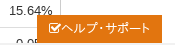
Solution
Change the window_size to a different value so that the “Help & Support” object doesn’t overlap.
driver.set_window_size(1500,1500)